
Turbulent Sky
Tech Tips, Tricks and Solutions

by

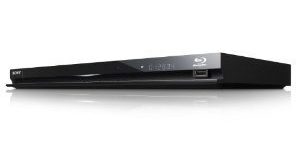
A lot of people are having problems connecting the Sony BDP-BX57 and BDP-S570 Blu-ray disc players to the Internet via Wi-Fi with encryption enabled (WEP, WPA, WPA2, etc.). I ran into this as well, but eventually got it working with a pretty easy fix. So, don’t return yours to Costco or BestBuy just yet.

To make sure your connection problem isn’t a configuration error, be sure that your SSID in the player’s wireless network configuration matches the one in your wireless router (properly entered upper- and lowercase letters, if any). It’s a good idea to turn off all wireless encryption to verify that the Blu-ray player connects via Wi-Fi without it and that video or music streams properly over the network.

Finally, verify that your Blu-ray player’s firmware is up to date. Some earlier network problems were the result of firmware bugs and you want to make sure that you’re not suffering from one of those problems. The current version, at the time of this post, is M04.R.735. To find the firmware version in your disc player, do the following:

  1. From the player’s main menu, scroll all the way to the left to Setup.
  2. Select System Settings, then System Information at the bottom.
  3. The firmware version appears near the top of the screen.

If your firmware is older than M04.R.735, update it before continuing on. I’ll wait right here.

All set to continue? Good. If you updated the firmware, double check that unencrypted wireless is still working. Now, re-enable encryption in the wireless router, set the corresponding encryption mode in the player (WEP, WPA, WPA2, etc.) and enter the correct encryption key. At this point, if you’re encountering the problem, having enabled encryption will result in a good wireless connection, but no Internet access. The player’s green Wi-Fi LED on the front of the device will be on, but the IP address will start with 169 instead of the usual 172 or 192.

It seems that firmware changes can introduce problems with the network configuration information or other related data in the system. As a result, encryption over the wireless doesn’t work properly. To fix this, do the following:

  1. In the player’s menu, scroll all the way to the left to Setup.
  2. Scroll to the bottom and select Resetting.
  3. Select Reset to Factory Default Settings. Don’t worry, it won’t reset just yet.
  4. Select Network Settings to wipe out all the network configuration data.
  5. Re-enter the wireless network settings that you did before. (I know, it’s a pain.)

That’s it. It should connect to the wireless and to the Internet now. Wiping the old network data and re-entering it removes whatever was causing the wireless not to properly encrypt the network communication. If, for some reason, resetting just the Network Settings isn’t enough, you can opt to reset everything. It’s the last reset item in the menu.

Did it work for you? Do you have a different model Sony Blu-ray player or even a different brand with a similar problem and found a fix? Post your experiences in the comments.

Post a comment

Related posts:

128 Comments

  1. Matt Case says:

    I was able to access all of the online features but when it came time to perform a network update, I could not. It would tell me I needed to update, but then fail with a message like, Failed to access gateway. The network connection always showed internet connection as failed as well, even though all internet functionality was there. For me, the problem was that my firewall box, that is the gateway, wasn’t responding to pings. If I allow it to respond to pings, everything works correctly. This caused my HOURS of effort, Sony was of no help.

  2. Peter Ridge says:

    @Matt: Pretty odd that blocking pings from the outside would cause such a problem. Thanks for sharing!

  3. Scott says:

    I like to think that I’m not the average Internet user, however this thing is really testing my patience. I was able to connect right away to my wifi, and it told me right away I needed a firmware update…but gave errors when I tried to update or get internet content.

    I tried everything suggested above, including burning a firmware upate cd. Still nothing, reset everything, turned off encryption, tried, same problem. Then I went into my AT&T U-Verse gateway and turned unblocked ICMP, still nothing. Then I took it an extra step and put the BDP-BX57 in the DMZ. STILL NOTHING. I’m about to give up. Putting it in the DMZ completely unrestricts just this device, allowing it to act although the Internet plugged directly into it with no firewall protection. Still nothing. Any ideas?

    Thanks,

    Scott

  4. Peter Ridge says:

    @Scott: Do you only have this problem when connecting via WiFi or also when connecting with an Ethernet cable?

  5. kristen says:

    still not working! wireless connection: OK Internet access:failed
    Help!:)

  6. Peter Ridge says:

    @kristen: Is the wired connection working properly? If so, be sure you have the latest firmware. There have been a couple of updates that can affect network functionality. Check for and install any updates with the wired connection before going through the reset process.

  7. Rich H. says:

    I could not connect at all, I followed the instructions posted here for my BR S570 model and it worked. No further issues with connection to the unit… No this thing rocks…

  8. Peter Ridge says:

    @Rich: Thanks for the feedback. Glad to hear it worked for you too. I’ve been enjoying many hours of Pandora streaming on mine.

  9. Jes says:

    I have a BDP-BX57 and it connects to the internet fine and i can do updates with no problem, but my issue is that it looses connection every five minutes. if i am watching a movie i have to start it from the beginning every time how do i solve this issue???? Help!!!

  10. Peter Ridge says:

    @Jes: I occasionally encounter this. Check the strength of your Wi-Fi signal. The lower the signal strength, the more susceptible it’ll be to dropping. If you have a really strong signal, try the wired connection to confirm that there isn’t an issue somewhere else (e.g., unstable connection to your ISP or between the ISP and the video streaming service).

  11. Kevan Brenchley says:

    My S570 has failed to connect to the internet – connected to the wireless network but not the internet? Flipping frustrating. Have reset factory settings etc… but to no avail. Might take it back to the shop and exchnage it for another? Would that work?

  12. Peter Ridge says:

    @Kevan: It might, but I’ve seen various folk saying that exchanging didn’t help. Before you exchange it, make sure that the wired Ethernet connection works fine and that you install the latest software update for the player. Then, reset settings.

  13. Paul says:

    Hi Peter:
    Hello – I have a recently purchased the BDP-s570 blu-ray device. It plays the following internet services well:

    netflix
    youtube
    amazon
    hulu plus (don’t have account but still have access to the login screen)
    qriocity
    pandora
    the other radio station

    However, when i try to access every other internet enabled items, i get an error saying “a network error has occurred”. This occurs with every other internet item, including:

    dailymotion
    blip
    michael jackson videos
    etc.

    Could you please help me with this? I have the blu-ray player connected via wireless, and as mentioned above it works for some items and not others, so it can’t be the internet connection. I am able to connect to the unavailable items on the blu-ray player while using my computer, so it really isn’t a network error. i have updated the firmware. i have reset my router and I still cannot access these items. The product is registered under my account.

    Thank you

  14. Peter Ridge says:

    @Paul: Does it happen if you connect the Blu-ray player to your router with an Ethernet cable?

  15. Paul says:

    Hi Peter – it also doesn’t work when I attach it through the ethernet connection.

    I should mention that I needed to change, in my router, the primary and secondary DNS Servers to a specific address in order to get certain things to work, such as netflix. Could this be the problem? If so, is there a workaround on the player itself that you are aware of? I am also using WPA-PSK security. However, I turned that off and it still didn’t work (of course i realized afterwards that this potential wireless security issue was already dealt with when I connected the blu-ray player via ethernet).

    Any other suggestions? Thanks a lot for your time here.

    Paul

  16. Peter Ridge says:

    @Paul: If it fails with the Ethernet connection, then it’s not a WiFi problem and, as you discovered, it’s also not because of WPA. A DNS server problem is plausible since you get connection errors to some services, but not others. There are many public DNS servers available. If you’re still getting the errors, try testing with OpenDNS. The IPs for a couple of their servers are 208.67.222.222 and 208.67.220.220 which you can see at the bottom right of their home page.

  17. Paul says:

    Thanks Peter. I do believe it is a DNS problem and I am investigating. I don’t want to go through another server without checking it out, but thank you very much for the information in your post as well as your overall help here. Much appreciated.

    Paul

  18. Peter Ridge says:

    You’re welcome, Paul. Hope you get it sorted out. I actually use OpenDNS. Their DNS servers are fast and provide an extra layer of security to your ‘net travels. https://www.grc.com/dns/alternatives.htm

  19. Chris says:

    I have the BDP-BX57 player and everything was working fine yesterday in regards to utilizing the wireless features (i.e. Netflix). Then later in the evening when I tried again, nothing would connect (Netflix, Amazon, Hulu, etc). My laptop is working fine with the router and the BD player is able to find the network, just not connect. I have tried resetting everything to the factory default settings, but have had no luck. Any suggestions of other things to try?

  20. Peter Ridge says:

    @Chris: You might try unplugging the player for a couple of minutes to reset the hardware. Do you encounter the same problem with the Ethernet (wired) connection? If not, the next time you can’t reach the Internet via wireless, try moving the player next to the wireless router to see if it’s a distance/location issue.

  21. Tim says:

    Returning it back tomorrow………will not connect wireless……..didn’t spend $135 to have this big a pain in the ass

  22. Steve says:

    Wireless not working on Sony S570. Updated firmware per above using wire connection. I have reset both Network connection and reset everything (and re-updated wireless info), still received a failed status for my Internet Access. My wire setup works fine. Any other thoughts?

  23. Peter Ridge says:

    @Steve: Does it work better if you put the player next to the wireless router? If so, then the problem is likely the location (obstructions interfering with the signal or it’s too far away).

  24. Steve says:

    Hello, I positioned the BluRay about 1 metre from the router for the above work. No obstruction between router and BluRay. My wireless connection is 5/5 bars. I re-confirmed password off wireless laptop. I wonder if it could be my WPA. I was thinking of selecting other options. Thanks for the quick response.

  25. Peter Ridge says:

    @Steve: WPA should work. Try testing with no encryption. Mine works fine with WPA2.

  26. Eric says:

    “Internet Connection Failed”
    For those struggling with that error on that Sony BDP S570 Blu-ray player…

    Select Custom wireless network configuration, with:
    IP Address something which no other device on your wireless network will have, say 192.168.1.105 (fiddle with the last number; try a random number between 105 and 149).
    Subnet mask: 255.255.255.0
    Default gateway: 192.168.1.1
    Primary DNS: 8.8.8.8 (Google’s)
    Secondary DNS: 8.8.4.4

  27. Peter Ridge says:

    @Eric: Note that most wireless routers have DHCP enabled by default. As a result, each device that connects to it will automatically be assigned an unused IP address and your internet provider’s DNS servers. If your router has DHCP disabled, then you’ll have to figure out which IP to use for the player.

  28. Eric says:

    Peter you’re right, so to find the disk player IP address:

    1. Enter the IP address of your router into the address bar of your Internet browser.
    2. Click through your router’s configuration screens to find the DHCP client table.
    3. Find the Sony device in the DHCP client table, and read the IP address associated with it.

    Use that a IP address as described in post 26 above.

  29. Paul says:

    Have had issues connecting to the wireless. I have tried auto configuration and entering the ip etc manually and still no connection. I have the player connected to the u-verse box with a cat-5 cable and all is good but would prefer a wireless connection. Any insight?

  30. Chris says:

    I’m having trouble with a BDP-S280 connecting with a Wired connection. I’ve got my router set with the DHCP enabled, but the range of IP’s set to between 100-115. It won’t auto specify an IP.

    So, I set up the BR player to specify custom IP with the Default gateway of 192.168.2.1. In the Edimax router config, the default gateway is set to 0.0.0.0 for some reason. I’m also using OpenDNS gateways as suggested above to see if that helps. I’m stuck.

  31. Chris says:

    BTW, I get the Physical Connection OK, but Internet Access Failed error.

  32. Peter Ridge says:

    @Paul: Do you have encryption enabled on your wireless access point? If so, you’ll have to also enter that information into the player’s wireless configuration. Alternatively, you can disable the encryption on the access point temporarily to initially get the player connected and, once it’s working, turn encryption back on (and configure the player accordingly).

  33. Peter Ridge says:

    @Chris: Do other devices (e.g., laptop) connect via wireless OK? If so, compare the gateway IP and DNS server IPs on the laptop to the ones in the BDP-S280. I wouldn’t worry about the router config if other devices successfully access Web pages via wireless.

  34. Frank Salazar says:

    Peter – Have BDP-570s. Connects fine to ATT Uverse Gateway (WPA/WPA2)when SSID is broadcast, but I do NOT want to broadcast SSID. When I disable SSID broadcast it fails to connect. Macbook Pro, 2 iPhones, Wii, and XBox all connect fine when manually entering SSID and PW.
    Have tried every trick I could find on the web over the last 6 nights. Have tried filtering Mac adresses, have tried updating firmware, have tried resetting network settings, have tried WPS, have tried all manual entry, have tried the PIN method. It fails every time. Any ideas?

    Thanks in advance.

  35. Philip Campbell says:

    Having the same problem as everyone else. BDP-S570 did work initially months ago on wireless, but I haven’t been able to connect to the Internet either wired or wireless, although both showed good network connection. Changed the DNS addresses to 8.8.8.8 and 8.8.4.4 as was suggested here and that finally worked for me after about two hours of trying everything else that was suggested. Works wired and wireless. Thanks for the help.

  36. Frank Salazar says:

    After more research, many claim that the BDP-S570 CANNOT connect “properly” if the SSID is not broadcast. The work-around I have settled on is to broadcast SSID long enough to connect to my Uverse router, then turn SSID broadcast off. The BDP-S570 retains the connection. Of course, if we have a power failure or I have to reset the router I may have to do the whole thing over. We’ll see. Hopefully someone else will find this useful. cheers.

  37. Hugo says:

    I have an apple computer, a netgear router and a Sony DVD player BDP-S570/BX57. I believe I was able to automatically/wirelesssly connect the DVD player to the router. I watched a couple of CNN clips through my DVD connection.
    I would like to have what I am watching on my laptop to come up on my TV monitor and I can’t figure it out. Can you help? Please

  38. Ed says:

    In trying to get network access via a WPS, following the standard instructions, a weird screen showed up on my tv (also a sony) and the tv then stopped responding to any of my remotes — although it will show cable (different inputs) I can’t change inputs or turn it off etc. I tried unplugging it for a few minutes – no change. The weird screen shows a tv with some waves coming off it and a “3″ and a couple other options (similar to the standard bluray “home” screen but this one looks to be a sony tv screen). Any ideas?

  39. Peter Ridge says:

    @Philip: Glad that worked out. Thanks for sharing your positive experience.

  40. Peter Ridge says:

    @Frank: That’s very interesting. Haven’t heard of that trick before. Thanks for sharing! And do let me know how it works out over the longer term.

  41. Peter Ridge says:

    @Hugo: If you want your laptop video to appear on the TV, get an adapter for the Apple that converts it to HDMI. You can then connect the HDMI to one of the inputs on the TV (assuming your TV supports HDMI).

  42. Peter Ridge says:

    @Ed: I haven’t heard of this before. What model is the TV? Also, try leaving the TV unplugged for a few hours. It may have been too fast to really reboot it.

  43. David Maldonado says:

    I have the same unit, BDPS570, using the wireless connection view Hulu and Netflix. I sent it for repair almost a month ago (under warranty). I got it the other day, and I upgraded the firmware (the Sony folks, cant even do that), and it is worse before and after the firmware upgrade to ver 756. The unit freezes anytime I try to set up the wireless settings, and I get a red screen. This unit has been nothing but a lemon. Sony support is horrible, they put you on hold and they drop the call. I have spent so many days trying to fix this unit and no luck. Anyone has had the same problem? or how to solve it?
    I think that Sony its loosing its edge in terms of customer support and product quality.

  44. Philip says:

    How do you change the wireless encryption mode on the player?

  45. Peter Ridge says:

    @David: Yeah, it sounds like that unit is just a bad one. Send it back until they get it right. They should just replace it and be done.

  46. Peter Ridge says:

    @Philip: Settings > Network Settings > Internet Settings > Wireless Setup > Manual registration > Manual registration > Enter your access point’s SSID, then on the next screens select the encryption mode, enter the encryption password, etc.

  47. Jose Silva says:

    I was having exactly this problem with my Blu-Ray device and following your instructions resolved the issue!

    Thanks.

  48. Peter Ridge says:

    @Jose: You’re welcome, Jose. Glad it took care of your Blu-ray connectivity.

  49. Mike says:

    Hey Peter, I am having a little trouble getting my BD to play. It worked fine for a few months then it all stopped working. I mainly use it for Netflix. I have a good internet connection and it says the network/internet are connected but when I go to click on the netflix, i get this error message “Connection status cannot be confirmed – The service cacnot be accessed at this time because the server replied with incorrect or invalid information”. I don’t know what happened because it all of a sudden stopped logging me in. How do I go about getting this fixed? P.S. I do get good internet connection on everything else (computer, phone, xbox,…)

  50. Christopher says:

    I have the S570 and Im having the same problem of the player not connecting. I have tried all of the suggestions above, Ive even spent time with customer support on the phone and it still wont connect. For info, I have a linksys wireless G router, and Comcast as an ISP. Any ideas?

  51. Peter Ridge says:

    @Mike: It sounds like there may have been an issue with the Netflix service that streams to the BD player. If the problem goes away after a day or three, that’s probably what it was.

  52. Peter Ridge says:

    @Christopher: Does everything work fine with a wired connection to your router?

  53. Jonathan Watkins says:

    ok i have a sony blu ray player. I had to change my wireless router out and I cannot find the place on the dvd player where I can CHANGE my existing wireless setup. It just keeps giving me the option of checking, which of course is not working, and it tells me so, but I can’t change the setting and put in the new wireless router name and password.

    how do you do this? I’ve done it on the PS3 easy, and it seems it would be very similar but I can’t find it. I also tried resetting everything, keeps the same wireless settings which of course – wont work.
    thanks

  54. Peter Ridge says:

    @Jonathan: To manually configure the wireless settings, see comment number 46. I have the path to follow in there.

  55. Adrian says:

    I have a Sony Blu-Ray BDP-S280 and even with the player connected with an Ethernet cable, it won’t connect to the internet. The weird thing is that it connects in the ‘Settings’ menu, but when I try to go to ‘Network’ or ‘Qriocity’ in the menu, it tries to connect and fails, saying, ‘Connect status cannot be confirmed. A network error has occurred.’

    Does anyone have ANY idea what the problem could be? I have been trying for a while now to get this to work, please help!

  56. Sole says:

    Trying to get the bdp-s570 wireless to work and have now encountered a new problem: The HOME menu is dropping/disconnecting/diappearing…so that all that displays is the purple !NO signal screen. If I unplug the unit to reset the hardware, I can get the HOME menu to come back – but not for long. What the heck?

  57. jim says:

    BDP-S570: Connects to internet and home network via wireless but streamed video via home network is choppy. Ran a CAT LAN wire to it but am unable to make a stable wired connection. When connection is available and try to connect to home network get ‘Server unable to connect…’ error message. Try turning off server (computer) or wait a few minutes. Cannot get wired connection to work. Frustrating. Have returned to wireless connection. Any ideas?

  58. Reandrea says:

    Sony E570 Blu Ray. Connects to router and internet with LAN cable. Connects WiFi to internet if player’s unique PIN is entered into router. Unfortunately, this disables connections for laptops etc. Actually, when Sony was connected to internet and laptop booted up it knocked off Sony connection as well. Had to reset router for laptops then Sony no longer worked. Either hard wire it or forget it! Poor engineering and no thought given to ease of customer use,

  59. Peter Ridge says:

    @jim: It sounds odd that the wired connection would be unstable. Do you get the same choppy results playing the same video using a laptop and wired connection? If so, something might be up with your router.

  60. Leon says:

    My parents bought a Sony BDP S280, I cannot get it to access online via ethernet cord. I’ve tried two different cords. I took it to my house and I can get on. I have the same internet provider. Prior to that I called both Sony and IP(Charter) neither one was able to help. What gives? Is there a setting on the router or computer that is blocking access?

  61. Jeff says:

    Just got a BX-58. With no encryption, I can get a connection but internet access failed. With encryption, both fail. I talked to someone on the Sony help line, who had me go through the same procedure I’d been through 5 times with the same results. She finally had me do a speed test, (had 1.59m download) and told me it was because my connection was too slow. I think that’s b.s. I’m returning it tomorrow and getting a less expensive unit with no 3D and no internet. If I want to watch a show on the web, I’ll connect my notebook to my TV. This has been a waste of 5 hours of my life that I’ll never get back!

  62. Peter Ridge says:

    @Leon: You could try connecting it directly to the cable modem. That would remove the router from the question (i.e., simplify the problem).

  63. Peter Ridge says:

    @Jeff: Yeah, 1.59 Mbps should be fine to pass basic internet access. Did you try using Google DNS or OpenDNS before you returned it? I agree that if you don’t really need Internet connectivity, getting a Blu-ray player that just plays discs would be a worthy alternative.

  64. JB Johnson says:

    I did most of the above.
    then….
    Rebooted my cable modem – waited for restart (3 min)
    reset the bluray internet settings
    Entered the Wep key – again – and
    Bingo, I’m hooked up!

  65. Peter Ridge says:

    @JB: Nicely done. Thanks for sharing your success for others to try.

  66. Gerardo Palomo says:

    I am sorry to disturb you can everything, but I can connect via Wi-Fi, Update it, see the online videos, but I cant get the registration code that says to be in Network.(The thing that is far right, it doesnt apear anything when i am in there nothing scrolls down)

    Please, Respond As soon as possible

  67. Gerardo Palomo says:

    Sorry, made some mistakes in my Comment.

    Didnt mean to say “Disturb you can everything”

    I wanted to say “Disturb you AND everything”

  68. Brandon says:

    I cannot get my s570 to connect to my media center using the dlna. I am using xbmc and it sees the media center but just will not pull up any of the folders. I can get to the internet and all just fine using wireless but cannot seem to hit the media center. I have tried removing the media center from the found list and having it find it again, with the same results.

  69. Braf says:

    Thanks for all of the very helpful information found here. I have the Sony BDP-S570 and was using the wireless connection for Netflix. It was all working very well until the modem crashed and I had to reset everything. The wireless became very spotty. From the info here I was able to ensure that the encryption was set to WPA2-AES not WPA2-TKIP and all seems to work well now. Thanks to Sunil above for the Sony link.

  70. Paulie says:

    How can I upgrade the firmware when I cannot connect to the internet? My blu ray shows connected to the router but not connected to the internet. Error messages says to turn on router (of course its on) and to enable the DCHP, which shows as being “on” when I check on line. One thing I do note is that only two devices are showing connected to the router when I check on line – my other Sony blu-ray (which was a piece of cake to set up) and my laptop. If the blu-ray indicates it’s connected shouldn’t the router show it in the list of connected devices? Is that the problem? And how do I solve that. Sony of course is absolutely no help. I’ve turned of and on the router, reset the bluray to factory default and set it up again and still no luck.

  71. Peter Ridge says:

    @Paulie: You can burn a CD with the updated firmware and use that in the player to update it. Start at the Blu-ray player support page http://esupport.sony.com/US/perl/select-system.pl?model_type_group_id=1 to select your model, then in the System Updates/Firmware section, select the link for the operating system of the computer on which you’ll be creating the update disc. Finally, follow the appropriate instructions to create and use the update disc.

  72. Davy says:

    I have the Sony BDP-BX57. All has been well for a year, but starting a few weeks ago the player frustratingly started saying “network error”. When I checked the Internet settings on the player, it had lost the wireless connection, Internet access, and said the signal strength on my network was zero. I have an iPhone where I can check my airport utility and all that was working perfectly. I turned the power on the Sony BDP-BX57 off and back on and it all reconnected with the signal strength at almost 100%. But the BDP-BX57 would play Netflix/Hulu and drop the network without rhyme or reason from within minutes to hours. Restarting the player brings it back, but it’s highly frustrating and not permanent. I moved my airport to be inches from the BDP-BX57 and my signal strength is 100%…but the BDP-BX57 will still drop the network. What gives? The firmware on the BDP-BX57 is up to date. The security on the network says WPW/WPA2-PSK. Please help. At my wits end.

  73. Craig says:

    ANSWER: I just had the same issue as many of you, my verizon router is working fine. I tested DHCP by changing the IP address range on the router, reset the network resetting on the BR, optained new ip addresses but the blueray would say “connection status cannot be confirmed”. So I manually configured the IP addresses on the BR, I used my ISP’s DNS servers(you can google yours). BR is working again!! The issue I believe was my verizon router as the Primary DNS server. I tried to change the Primary DNS ip address a number of times on the router, but with every DHCP release, I also got the routers Gateway ip address as the Primary DNS server.
    Hope this helps someone, as it fixed my issue.

  74. Asif says:

    hey bro, I have an S570 bdp,it connects to the internet fine but I am having trouble accessing the network, I press the home button then the up arrow and still nothing.Any suggessions.

  75. rod sherwin says:

    I just inherited the BX57 from a friend that never tried to connect it to the internet.

    I would like to thank the original writer for such a great detailed description of the activities. Based upon that, I have upgraded the firmware, turned the unit off a couple of times and unplugged. I am using uverse gateway router with att. Connected to both a sony and a sharp television.

    I cannot connect. The wifi light is lit, it says I am connected, but I am still getting the 169 ip address. I have completely reset everything. Re-entered the network information, and there is no change.

    I am willing to try anything. I don’t believe putting in all of the dns information is the best thing but I supposed I could try to find the primary and secondary information if required. But dhcp is much more friendly and I can’t understand why it can’t get a proper ip address.

    any additional thoughts will be most appreciated.

  76. rod sherwin says:

    My profound apologies. I finally rebooted by gateway router which I rarely do since it is my telephone, tv, and internet. But now I am connected and all is great. I am sorry I didn’t get that last detail.

    The key is to upgrade, clear the network settings on the bluray, bounce the router while the bluray is turned off and unplugged. Then turn the bluray back on and setup the network settings as you probably did about 30 times before and voile!

    Thanks again.

  77. Nasim says:

    Hi Peter,

    I have having the problem with BD S-570 and it does not connect to my WiFi now. I bought it last December and was working fine with my WiFi network and I was able to go into NetFlix, YouTube, Sony Picture and so on. But it stopped from last week. I tried re-set to factory default but no dice. The Firmware is showing M04.R.787 and security is WPA/WPA2-PSK on my network. My laptop and my WiFi enabled phone does work right beside the Sony S570. It seems S570 signal strength is fluctuating from 0% to 62% when I display the Internet Status. I was able to get connected if i use a wired connection. Any help you can provide will be greatly appreciated. Thank you.

  78. Peter Ridge says:

    @Nasim: Since your signal strength is fluctuating a lot and the Blu-ray player doesn’t tolerate distance very well, you can try either relocating your wireless router to a spot closer to the Blu-ray player or use a different Wi-Fi channel on the router. Someone may have upgraded their wireless and is running on the same channel as you are or another nearby device could be interfering with your signal. I have an app on my phone that shows what wireless access points are nearby and which channel they’re using. It helps to choose a completely unoccupied channel or at least one that has a weak signal so that it doesn’t clobber mine.

  79. Robert says:

    I have the BDP-S570. I connect fine wirelessly. However, I continually get “network down” or “network error” in the middle of streaming video online, to either Crackle or Netflix. I did have an older router, and struggled with it a lot thinking the router was the issue. I finally recently bought a newer N-band router thinking my problems would be over. My relief was not to be. I still have the same issues, and now my unit is out of warranty. I believe the whole business with my problems and everyone else’s is faulty network adapters installed. How can a remedy be found now? If there is none, I’ll stay away from Sony products in the future. I bought Sony in the first place due to their reputation. And it was that reputation that caused me to spend so much time troubleshooting my network. My network was fine all along, and it was the player that is messed up.

  80. Peter Ridge says:

    @Robert: An N-band router is beneficial if all devices connecting to it are using N. Otherwise, the router has to switch down to the lowest common protocol in use. Do you have the same problem with a wired connection? I’ve found that the player’s Wi-Fi antenna isn’t as sensitive as that in a laptop or phone. As a result, the player may need to be closer than other devices in order to get sufficient throughput. Ultimately, a wired connection is best for streaming video and, even though mine works fine, I plan to move my cable modem and router so that I can directly connect both my Blu-ray player and TV via Ethernet cables.

  81. Nasim says:

    Thanks Peter. I ended up re-setting my router and change the security key and others and finally S570 decided to response. I believe I was using channel 9. Anyway it’s working fine for last two days but I think I will try to use a wired connection in future as the signal strength still no so good. Thanks for your help.

  82. David says:

    I think the wireless card in the unit, and who knows maybe it will not work with the final N spec.

    If you are trying to use the Wireless N this could be a issue. I cannot get a good connection with Netflix. Movies always reload and play reload and play. However when I use Amazon the movie plays with out an issue. and I use wireless G and I use Google DNS servers. My apple pro can connection just fine Use N. but I do see less signal power from N. Moreover Wireless N has more interference than Wireless G.

  83. Denise says:

    Thanks for the tip about restoring factory settings – completely fixed my problem. Sony couldn’t help me with my problem after approximately 3 hours of inept tech support.

  84. Peter Ridge says:

    @Denise: Thanks for the feedback. Glad it took care of your player too.

  85. Cindy says:

    I’ve had this unit for over a year and have never had a problem with it until a month or so ago. It just stopped connecting to the wireless network. I reset the network settings, and that didn’t do anything. I’ve ALWAYS had my router set to accept MAC addresses only (and the unit still worked without my entering it). However, I just now tried adding the MAC address in my router, and it connected immediately.

  86. Eric S. says:

    Wouldn’t connect ot the Internet out of the box, but your tip about reseting to factory defaults fixed it first time. Great tip that I hadn’t seen elsewhere, including Amazon and Sony sites. I printed out this page to put with my owner’s manual. I had to laugh about your returning to Costco line because that would have been my next step.

  87. Carol Mathews says:

    Will this work for the new Sony BX-58? I’m tempted to try a network reset, because I have repeatedly re-entered the information and it still shows wireless OK, internet access failed.

  88. Peter Ridge says:

    @Carol: Unless the firmware in the BX-58 has changed considerably, I believe there’s a high probability that it’ll work in a similar fashion. Give it a try and let me know how it turned out.

  89. Marcia Oakley says:

    The problem I’m having is that sometimes I turn on my Bluray player and there’s no internet connection. A lot of times I have to restore all settings in order for it to work, and yet I also still have to wait for everyting to start working – like sometimes hours! I don’t understand it. Anyways, It’s working at the moment. When I first set this Blueray player up, it was working fine, until i installed the update for the player, then nothing would work. After resetting to factory settings, it once again started working. Sony was absolutely no help on this issue, and I had to figure this out for myself.

  90. Paul Macaulay says:

    I have the BDP 570 which has worked well until today. As with others, I have a good wireless and wired connection, but now cannot connect to the internet. I had to reboot my router yesterday so I think this may have caused the problem but I have tried resetting the factory defaults and inserting the configurations suggested @26 above without success.

    I noticed that when I do auto setup, the IP address starts with 169 – could that be the problem?

    Any suggestions?

  91. Peter Ridge says:

    @Marcia: Generally, resetting to factory settings after a firmware update is the way to ensure that networking continues to work properly.

  92. Peter Ridge says:

    @Paul: If the first few digits of the player doesn’t match your router then, yes, that is cause of the connectivity problem. It’s not able to get an IP address from the router. Try powering off the player and unplugging it for a couple of minutes. Then, start it up and see if it properly acquires a new IP address from your router.

  93. Paul Macaulay says:

    @Peter: Thanks for your reply but I’m afraid that hasn’t worked. Any other ideas?

  94. Peter Ridge says:

    @Paul: OK, if your player can’t get an IP address, verify that your router has DHCP services enabled. If it doesn’t, then it needs to be turned on. If that still doesn’t fix it, you can try manually assigning an IP address to the player. For example, if your network uses IPs in the range of 192.168.1.1 through 192.168.1.254, then choose one (e.g., 192.168.1.222) and set it into the player. Just be sure that you don’t choose an IP address that’s within the range of IPs that the router assigns for DHCP. Usually, routers will reserve the first 10, 20 or so IP addresses for DHCP. That info should be in the DHCP setup.

  95. Paul Macaulay says:

    @Peter: I tried to manually enter my router’s IP address (and all of the other settings required – IP subnet mask, default gateway etc) but the player wouldn’t accept the settings.

    My router’s IP address was 192.168.0.1 and, after playing around with the settings, I noticed that the player doesn’t seem to recognise an IP address with a “0″ in it. So, I changed my router’s IP address and now have internet access!

    Many thanks for your help with this, I certainly wouldn’t have cracked the problem without it!

  96. Koen M says:

    Because i like to share the fix for me:
    specs: sony BDP S280:
    Problem: wired connection ok –> internet: no connection
    pop up: cannot connect to gateway..

    Fix: I downloaded through my pc the latest firmware “M06.R.0579″ within(orginal firmware was on it when bought)
    Burned it on a DVD (had no CD-R) and update the BDP
    Now i have internet on my BDP-S280!
    I hope it will help others! (European version)

  97. Peter Ridge says:

    @Koen: Thanks for sharing your solution for the European version of the player.

  98. Ace says:

    Can anyone help? Every time I turn on my bdp-s570 it says “a network update is available” but when I try to update it I get “dns server not responding”. I can go on youtube and watch videos so I must be getting a connection. I have a wi-fi connection.

  99. Keith Hinton says:

    Help! I have a BDP S380 and a BDP S185. My entire house is wired for ethernet. The cable modem is in the basement. It goes from the modem to a router. From the router it goes out to all rooms in the house. IF I hook up my laptop to the network it is fine. If I hook a laptop to the network in another room and have two devices on the network it is fine. If I try and hook up my Sony BDP S380 or my BDP s185 they do not work. If I unhook the laptops the Blu ray player will hook to the network. If I unhook the blu ray player the laptops will hook to the network but I can’t have both on the network at the same time. Any ideas?? And no I don’t want to use wireless.

  100. Peter Ridge says:

    @Ace: You might want to try updating it from disc and see if that makes both the update message and dns error go away. Start at the Blu-ray player support page http://esupport.sony.com/US/perl/select-system.pl?model_type_group_id=1 to select your model, then in the System Updates/Firmware section, select the link for the operating system of the computer on which you’ll be creating the update disc. Finally, follow the appropriate instructions to create and use the update disc.

  101. Peter Ridge says:

    @Keith: Is your router using DHCP to assign IP addresses to devices on your network? If not, verify that the IP addresses you have assigned to your Blu-ray players don’t conflict with your laptop. If your router is using DHCP, make sure that it has enough IP addresses (may be called the DHCP IP range or number of devices or clients) to assign to all the devices. It sure sounds like you don’t have enough IP addresses available to be assigned to all your devices simultaneously.

  102. I have the BDP-S570 and everything works great on streaming wireless EXCEPT Amazon video. Tried wired, too after taking unit to BB and watching the guy test wired setup without a problem. My wired connection didn’t work. Amazon works on all the other devices. I will try the factory reset first and will proceed from there.

  103. Factory reset did not work.

  104. MAC address on sony is 78:84:3c:83:40:51 with ip address 192.168.1.12 and default gateway 192.168.1.1.

    netgear MAC address 00:22:3f:8f:6c:a0 and ip 192.168.1.4

  105. Also, I have verified issue is with router, as works fine if connected straight to cable modem. And it is only Amazon streaming that is not working. All other streaming works wirelessly and wired.

  106. Mike says:

    Hi Peter, is there any way to remove old DLNA servers in the Photo|Music|Video lists on the BDP-S570? I’ve played around with different DLNA servers in both hardware and software, and I want to delete the non-existent servers from the lists of ‘services’, as they clutter up the HOME screen… Short of a factory reset, I hope…lol

    Thanks!

  107. Peter Ridge says:

    @Michael: That’s really weird. First, why is your default gateway 192.168.1.1 when your netgear router’s IP is 192.168.1.4? The default gateway should be your router’s IP.

  108. Marlene says:

    I have been trying for days to fix my Sony BX58 and it worked wonderfully. I received many messages, tried to use different DNS numbers, etc. What a huge headache!!! Thanks!!! You saved my life!!

  109. Peter Ridge says:

    @Marlene: Thanks for the feedback. Glad to hear you got it all sorted out.

  110. Thomas Dolan says:

    I am a Network Engineer by trade. I tried everything you can imagine to get the unit to work with a DHCP address. Nothing worked.

    I converted the unit from DHCP to static IP and it worked flawlessly.

  111. Shannon says:

    I Got a Sony bluray rmt-b116a for xmas I set it up upstairs. Router is downstairs conected to my computer. My wifi is awesome at times but sometimes just seems moody and well turn to black and blue and I have to then unplug reload Hulu Netflix or slacker radio. I have also noticed we have to press pause to use our microwave. Or it freezes and I have to unplug it .. Ect. I normally have 3.0mbps right screen is locked with picture showing and it says 2.0mbps. My iPod laptops have no problem streaming anywhere on our property. Is this normal for Sony bluray players??

  112. Peter Ridge says:

    @Shannon: It sounds like you have two things affecting your Wi-Fi performance.

    First, you have the router downstairs, which will make reception worse for devices upstairs. For better signal coverage, it’s preferred to put the router upstairs, if you can.

    Second, you seem to be getting interference with the microwave, which can blast a lot of noise in the same band as your wireless network. Try a different Wi-Fi channel on the router to see if that helps. Changing channels can also help reduce interference with other wireless networks in your neighborhood, if one or more are on the same channel as yours.

  113. jacinthe says:

    My router is a D-link DIR825 and when I try connecting internet to my blu ray player, it won’t show any connections available. My fireware is the latest version and my other computers have connection to internet. It’s not a distance problem so I don’t know why it won’t work. Please help me.

  114. Peter Ridge says:

    @jacinthe: Does it work if you use a network cable instead of wireless? Does it work if no other computers are connected to the router?

  115. gary says:

    i had my brother in law change my router name and password and now i dont know how to hook back up my sony blu ray player to connect to the internet or netflix? Can you help?

  116. Keith Jackson says:

    Just wanted to post my fix for anyone with a similar issue. The article and comments here were helpful in tracking it down. Blu-Ray would show internet connection was fine, but no streaming would work. Long story short it was a DNS issue. For some reason, the autoconfig was putting my Wireless network printer as my Primary DNS, with my actual residential gateway (cable modem/whatever) as the secondary. Manually set the dns to the residential gateway as primary and it now works great (and is muuuccchhh faster loading menus, etc.).

  117. Mike says:

    I have a sony bdps570 . My internet services were working fine whilst i had bt broadband. I have just changed to a new faster providor and now my internet services on the s570 dont work it always comes up with the message connection status cannot be confirmed. I have spent all afternoon trying all the various tricks and fixes shown on this site to no avail. Any ideas ? I am using a tp link router wr841n which then connects to my provider through a poe box up to an ariel on the outside of the house. Every other device we have works fine , its just our sony blue ray that wont connect even though it says everything is ok .

  118. Peter Ridge says:

    @Mike: When you changed providers, did the router change as well? You might try a different DNS provider since that most likely changed when you switched Internet services.

  119. Bryan Trowbridge says:

    My wired and wireless were not working. I tried every solution I could find but no luck until I tried the google DNS fix. In sum, I manually entered ip address, 192.168.1.69 (just needed something higher than other devices on my network). Mask, 255.255.255.0. Default gateway, 192.168.1.1 and finally DNS, primary, 8.8.8.8 and secondary, 8.8.4.4. which are google’s public DNA servers. This worked.

  120. Bryan Trowbridge says:

    Oooo…public DNA servers. Now that would be interesting!

  121. john says:

    BX57
    I’m ready to through this piece of junk in the trash.

    I’ve reset the network settings but nothing is working.

    Internet connection is 100 percent.
    Even with the networks setting confirming everything is correct I get this message every time I try to connect.

    “Connection status cannot be confirmed
    Cannot communicate with the server”

  122. john says:

    Sorry did I say “through” of course I meant “throw”.
    3 hours of frustration. UGH

  123. Mike says:

    Peter yes the router changed . I have tried changing dns to google and the other dns options mentioned on these posts both on the router and on the 570 but to no avail

  124. Mike says:

    I have also tried bt dns servers but still the same message . The router is pretty simple with no odd settings that should cause any problems. The only odd thing is that the sony bdp states it is up to date but reports an older firmware of m03.r.769. Even when i try an upgrade by cd it still says it is up to date however i return to m original point that it was working with bt but not with my new providor so the change has been in router and settings.

  125. Peter Ridge says:

    @Bryan: LOL! Yeah, that’s a hybrid medical networking product.

  126. Peter Ridge says:

    @john: Have you already tried using a public DNS server? That fix has worked for many.

  127. Peter Ridge says:

    @Mike: That “already up to date” behavior does sound odd. First, try resetting just the network settings in the player to get rid of any anomalies there and put in your desired network configuration. If that doesn’t work, reset everything. It sounds like there may be some bad data stuck in there. You can also try resetting everything and then reapplying the update to see if it’ll finally accept it.

Post Comment

Please note: Comments are moderated by an Admin and may not be publicly visible right away.


Creative Commons License This work by Peter Ridge is licensed under a Creative Commons Attribution-Noncommercial-No Derivative Works 3.0 License.
Turbulent Sky Theme by Peter Ridge, based on BlueMod Theme by FrederikM.de